Invited, or not
The kiosk starts as you walk up. With an invitation, type its PIN. Without one, pick the company and your host, or let reception find them.
A visitor walks up to the kiosk, shows their ID, looks at the camera, and their host is told they have arrived. No paper book, no reception queue, no plastic badge to issue and collect.
Coming to Biometrics House, Bratislava
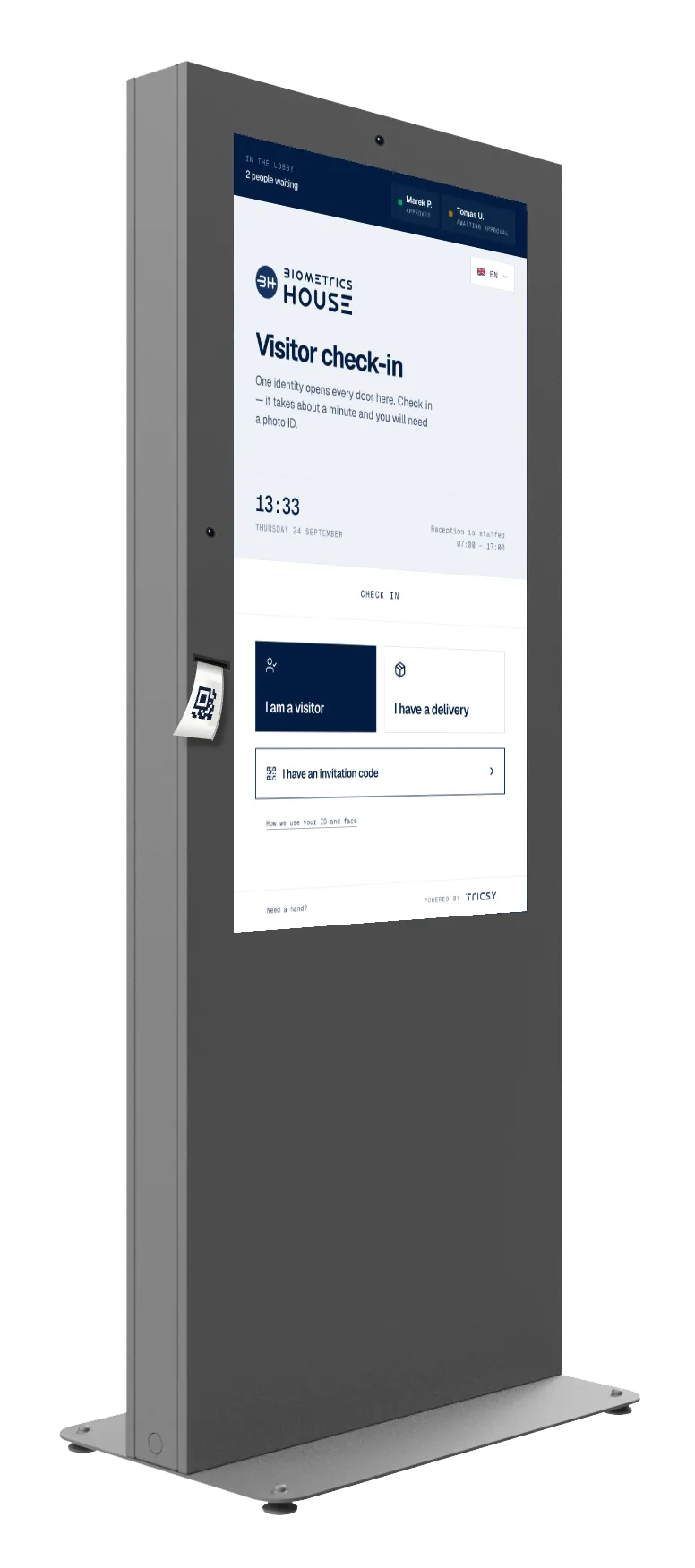
The whole sequence is designed around a person holding a bag in one hand — and around nobody having to be at the desk. Four visitors arriving together check in at once, rather than queueing for one receptionist.
The kiosk starts as you walk up. With an invitation, type its PIN. Without one, pick the company and your host, or let reception find them.
The lower camera reads the front of an ID card, driving licence or passport.
Your face is matched to the photo on the document, and your host is told you have arrived.
Depending on how the building is set, your face opens the turnstile, or your host approves first.
Two cameras, because one height does not fit everyone. The upper one reads faces at standing height; the second sits at mid-height on the left, reads ID documents laid flat, and doubles as the face camera for anyone in a wheelchair. Every button a visitor has to press sits in the lower third of the screen, within reach from a seated position.
And it reads in whatever languages the building needs, switched from one flag in the corner — so nobody is checked in through a language they are guessing at.
Identity verification runs through Innovatrics IDV — document authenticity, face match and liveness. The lobby needs the unit, a power socket and a network connection; nothing goes in behind reception.
The kiosk explains what it captures, why, and for how long — in plain language, on screen, before the first scan. Anyone who would rather not be scanned is checked in by hand at reception and loses nothing.
What is captured, why, who sees it, and the legal basis — reachable from the home screen and again before the scan.
The ID photo and the face template go 24 hours after check-out. Only the visit record is kept.
Reception and the host. Never another tenant.
The quickest way to judge it is to stand in front of one. We will walk you through the kiosk end to end — every screen, both cameras, and the questions your tenants will ask.